IDEXX Laboratories · Veterinary Tech · Internal Tool
VetMedStat
Admin Tool
Designing a comprehensive internal platform for customer support, employee management, billing, security, and system settings — so the teams running VetMedStat and VMS18 could do their jobs without friction.
The Problem
Two complex platforms — no dedicated tool to manage either
As VetMedStat and VMS18 grew, customer support and internal operations teams had no centralized tool to manage day-to-day work spanning both platforms. The admin tool needed to serve multiple internal teams with very different needs — support reps, HR, billing, security, and system admins.
Project Goal
One tool. Five teams. Zero friction.
- Customer Support — merge cases, reassign specialists, apply discounts, view internal notes
- Employee & Specialist Support — manage accounts, onboard and offboard specialists
- Billing Support — handle financial tasks, discounts, and payment reconciliation
- Security Support — manage access levels, permissions, and security events
- System Settings — platform-wide configuration including the premium case system
The Final Design
Built for speed and clarity
Case List
A fast, scannable overview of all cases across both platforms — with filtering, search, and the ability to take action without leaving the view.
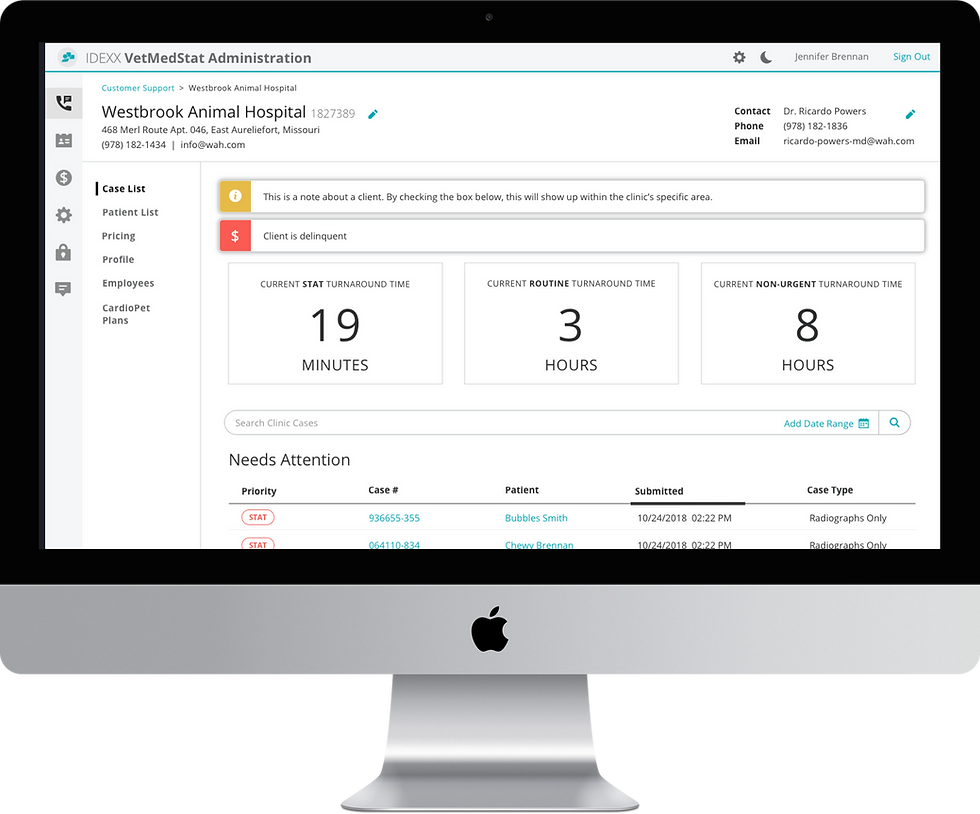
Case list: scannable, filterable, actionable at a glance
Case Detail
Full case history, internal notes, specialist assignment, and action controls — all in one place, without switching context.

Case detail: everything a support rep needs without switching tabs
Overflow Rules
Manage case overflow during specialist downtime or surge periods — routing cases so nothing falls through the cracks.

Overflow rule configuration: manage specialist coverage gaps without manual intervention
Next Project
HomeAdvisor Gig Economy →